
Your schedule plans itself.
Set your week once. UpPlan fills and staffs every week after it.
30 days free. You add payment details at Stripe when you start; nothing is charged until the trial ends.
How it works
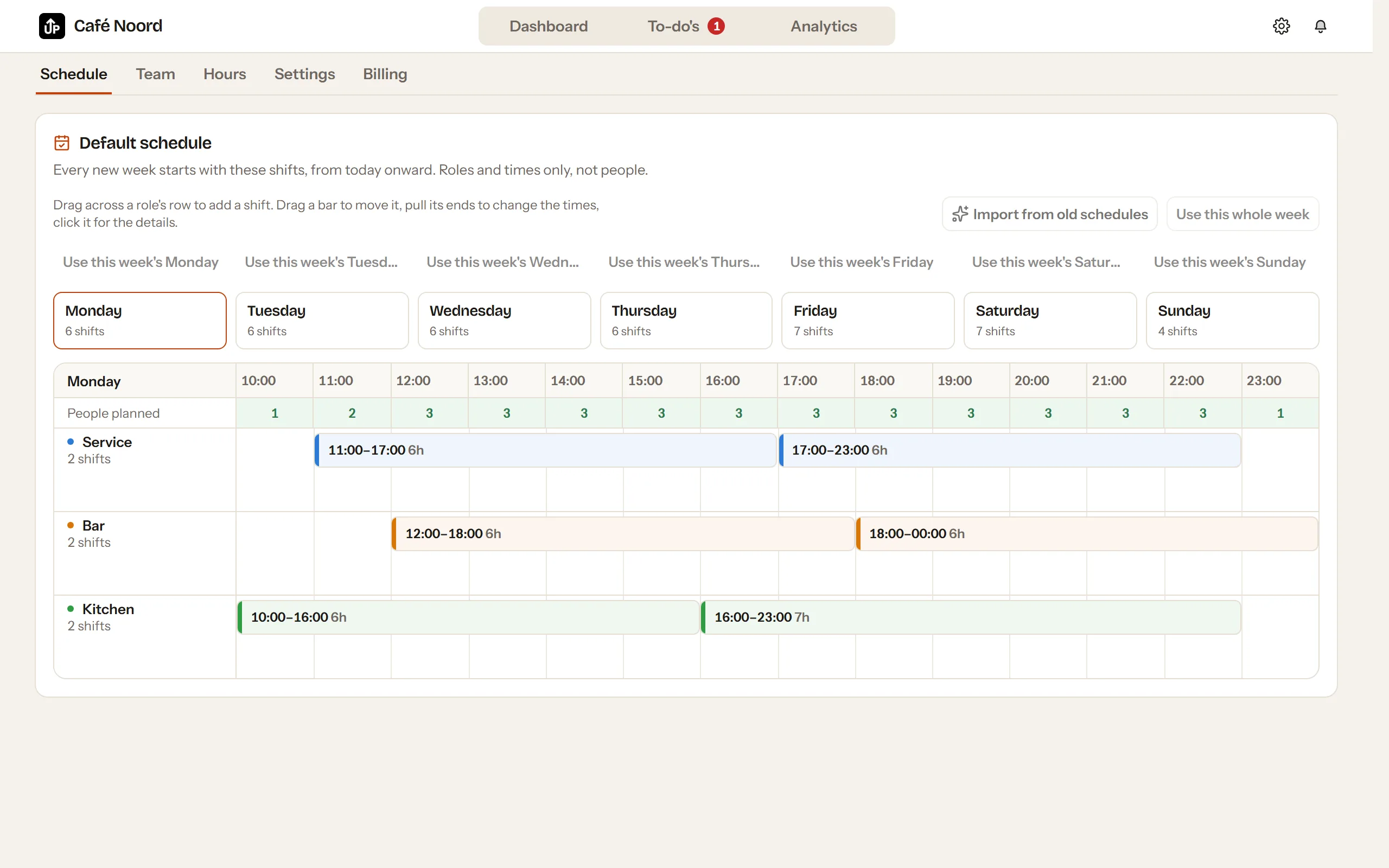
Set once which roles you need on which days and hours, or let AI read it from your old schedules.
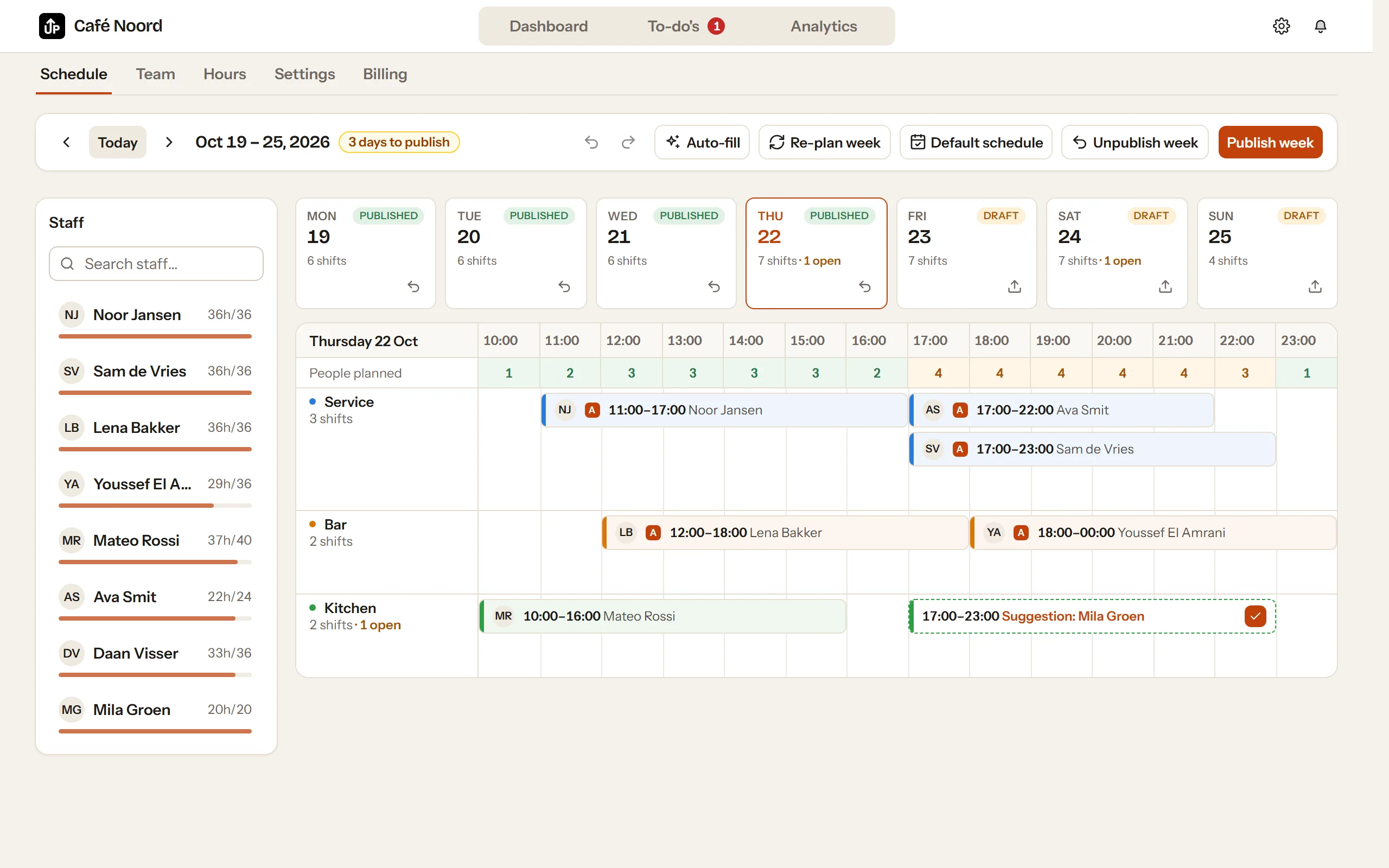
UpPlan fills each coming week and puts the right people on it: by your rules, with the reason on every shift.
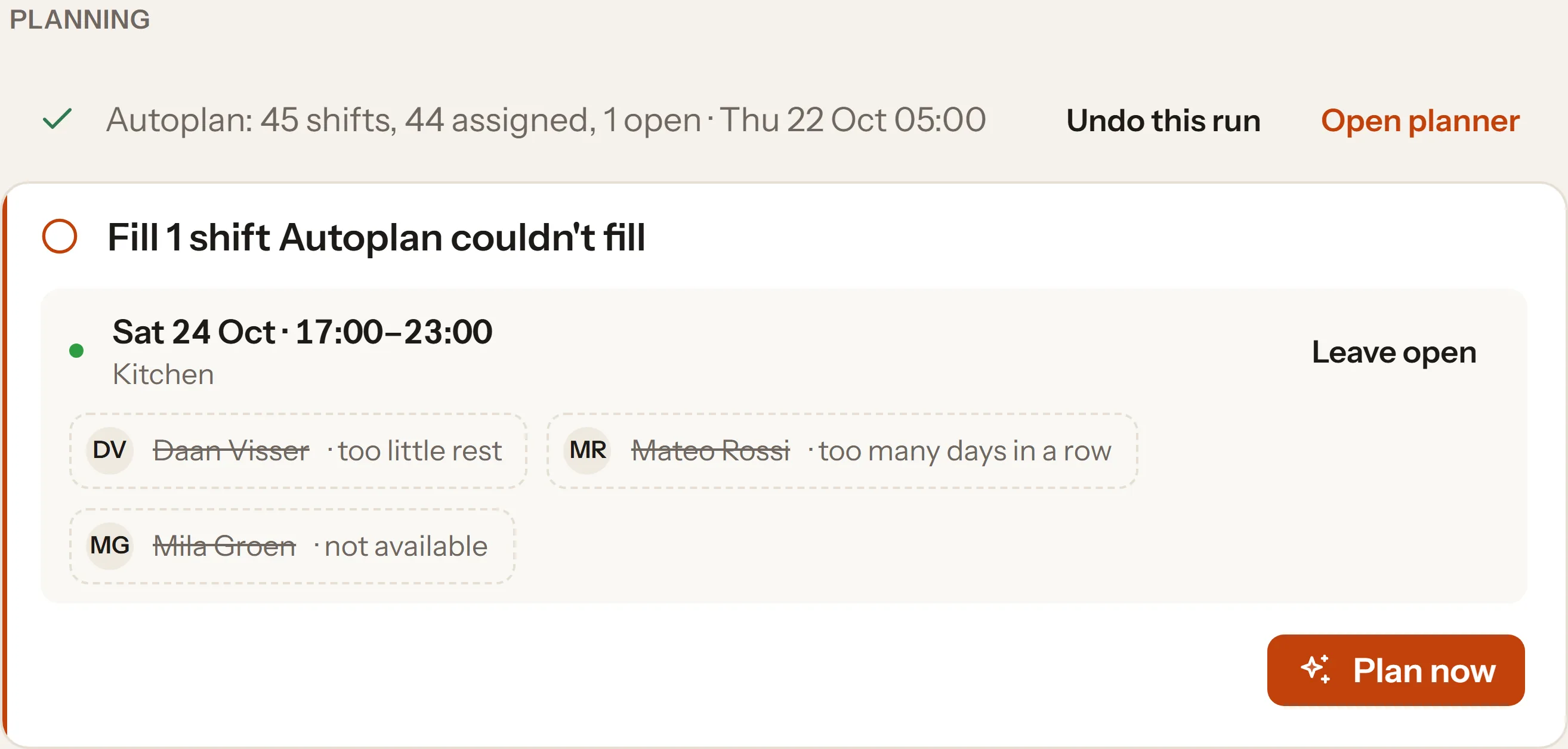
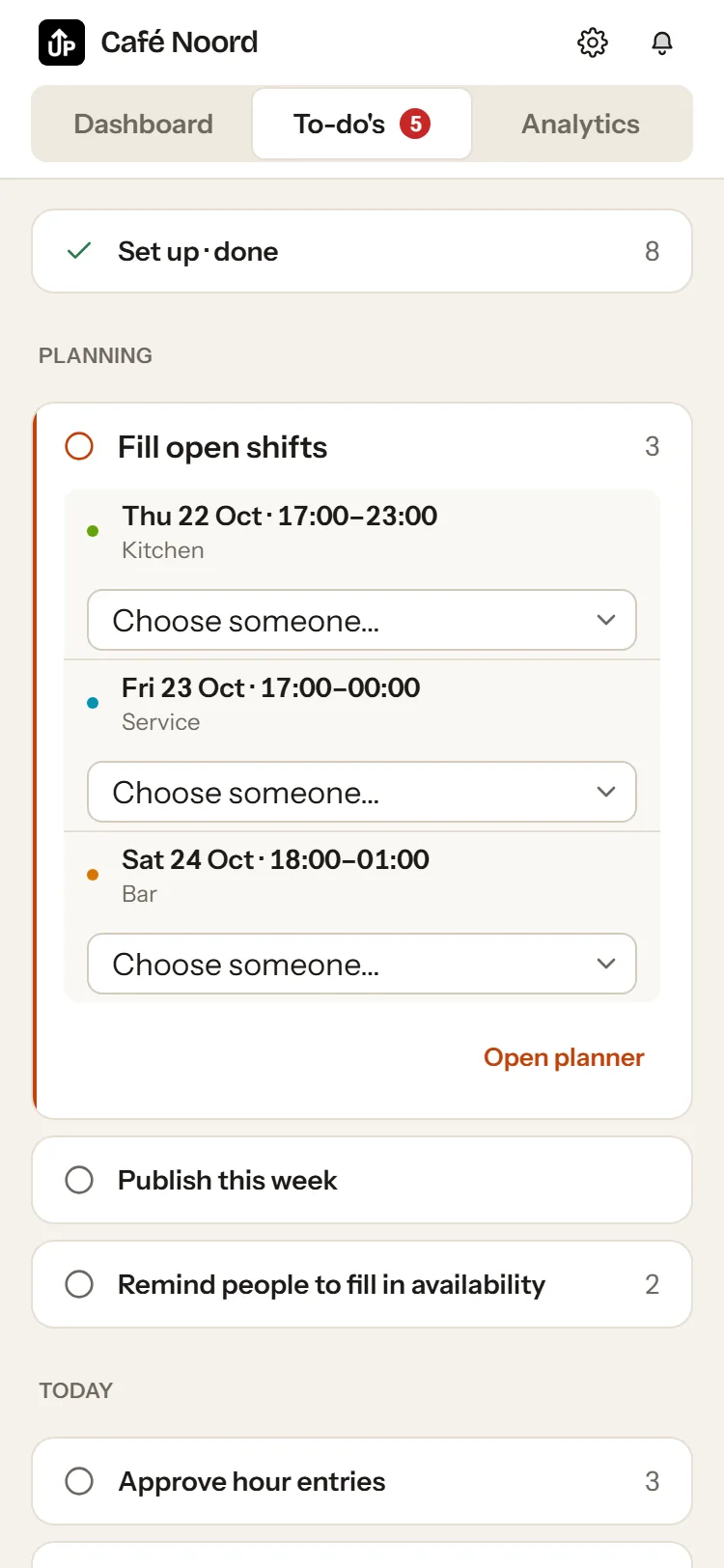
Whatever doesn't fit lands on your To-do's with the three best candidates. That is all you still do.
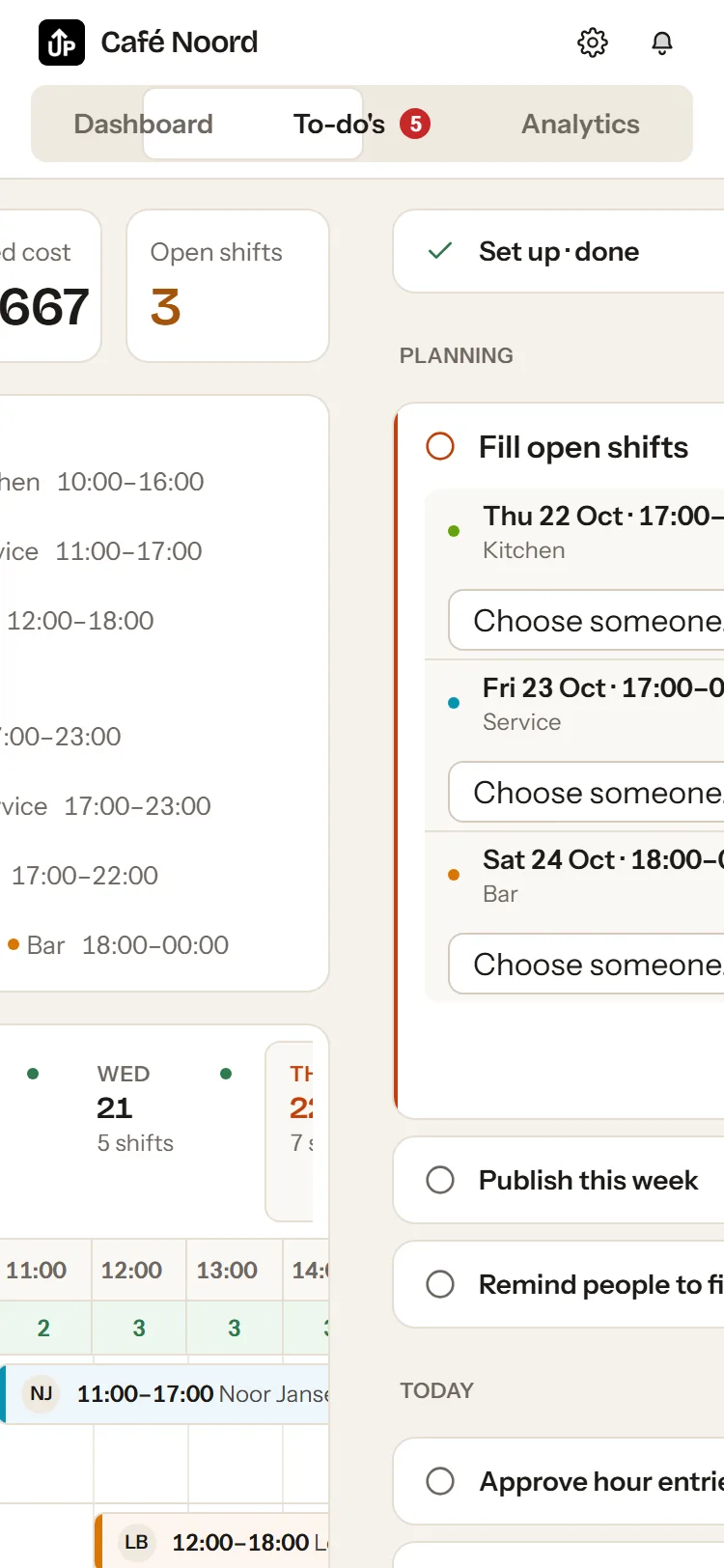
On the phone: install from the browser, a notification as soon as the schedule changes.
Clock in on your own phone, approve hours, export to payroll.
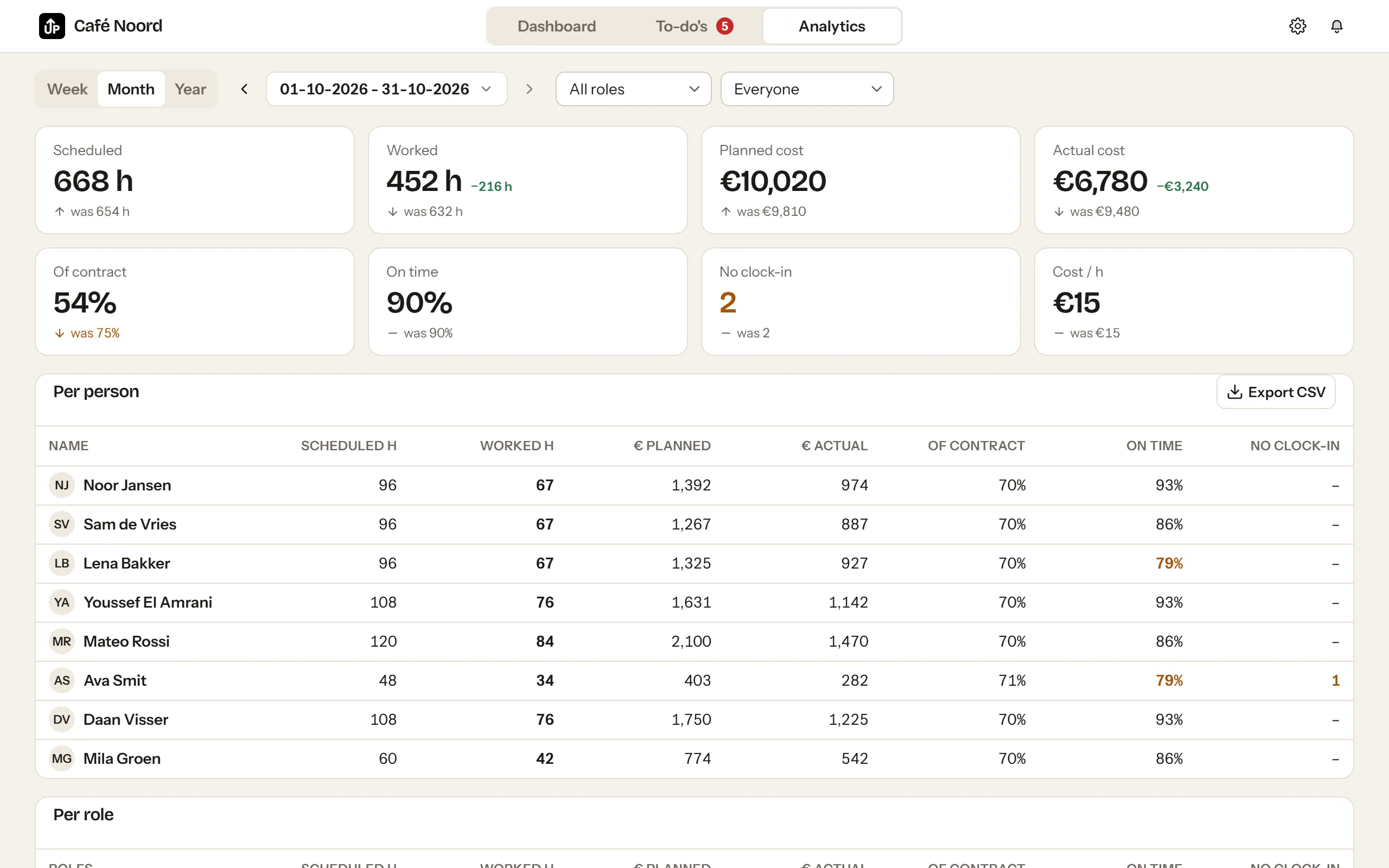
Planned next to worked, per person and per role.
€10 per month including 1 person, €2.50 per extra active person, ex VAT. 30 days free.